


.svg)
.svg)





Finding the best website platform is among the most crucial choices that a business can make. Your site impacts your customer experience, lead generation, SEO results and future growth. That is why many companies conduct a HubSpot CMS vs WordPress comparison when it is time to start a new website or redesign their old site.
These two platforms are both popular, powerful and business growth-friendly. But, they rate quite differently when it comes to managing the website. The ease of use, cost, SEO, security, integrations, and scalability can be important factors to consider when comparing HubSpot vs WordPress.
We'll explain the differences between the two platforms and show you how to decide which is the best choice for your business needs.
Understanding the Key Differences
HubSpot CMS, at a high level, is an all-in-one solution for marketers, whereas WordPress is mostly open-sourced, and depending on the theme and plugins you use..
HubSpot offers all the functionality, from website management and hosting to CRM tools, analytics, and marketing features, within one ecosystem. WordPress is flexible and customizable, but additional tools and plugins may be needed to achieve the same functionality.
HubSpot CMS |
WordPress |
|
|
Platform Type |
All-in-one solution |
Open-source CMS |
|
Hosting |
Included |
Separate hosting required |
|
CRM |
Built-in CRM |
Requires integration |
|
Security |
Managed by HubSpot |
User-managed |
|
Marketing Tools |
Built-in |
Requires plugins |
|
Maintenance |
Minimal |
Ongoing updates needed |
|
Customization |
Moderate to High |
Very High |
The greatest difference between HubSpot CMS vs WordPress is the convenience versus flexibility.
Comparing Features, SEO, and Website Performance
Ease of Use
HubSpot is created by marketers. Users do not need to be technologically adept to create pages and edit content, monitor performance, and manage campaigns.
WordPress is more flexible, but sometimes has a few extra settings. If you're not a tech-savvy person, it can become a tedious task to manage your plugins, themes, updates, and hosting.
 Customization
WordPress is still No.1 in customization. There are thousands of themes and plugins that allow you to create just about any kind of website.
HubSpot also offers custom website development, but customization is normally done inside HubSpot's ecosystem and development framework.
SEO Capabilities
It is very important to be visible online through SEO. The platforms are both well-optimized for SEO.
HubSpot's SEO recommendations, content optimization tools and analytics are built in. Yoast SEO and Rank Math are some of WordPress's great SEO plugins.
HubSpot's built-in SEO advice streamlines the need for multiple third-party tools for many marketers considering HubSpot vs WordPress.
Website Speed and Performance
The speed of a website can affect the user experience and search rankings.
The hosting infrastructure of HubSpot runs automatically to optimize loading speeds, without having to take extensive technical measures.
The quality of the hosting, optimization of the WordPress theme and managing plugins play a crucial role on the performance of WordPress. An improperly configured WordPress website can have speed problems.
Security
Businesses are highly concerned about website security.
Built-in security, SSL certificates, monitoring, backups and platform updates are just some of the features that HubSpot offers that you can expect. These protections are taken care of automatically.
WordPress security can be robust, but site owners need to take certain measures to keep their sites secure, such as monitoring for and installing updates, security plugins, firewalls and backups.
Hosting and Integrations
HubSpot is offering hosting and integrates with HubSpot's marketing suite.
There are virtually limitless extensions for WordPress, allowing businesses even more flexibility and options for connecting third-party applications.
Marketing Features
A key benefit of HubSpot is that it has built-in marketing automation features. You can track and manage lead generation, email campaigns, workflows, analytics, and customer interactions all in one place.
Businesses looking for advanced automation often work with a HubSpot development company to build customized websites and marketing workflows.
Pricing and Long-Term Costs
When comparing HubSpot CMS vs WordPress, cost is a common factor that must be taken into account.
HubSpot CMS Pricing
It is important to consider more than just the price of a website when understanding HubSpot CMS pricing. Hosting, security, CRM access, analytics, marketing and customer support come with the price of HubSpot's subscription plan.
While HubSpot CMS pricing may appear higher initially, many businesses find value in reducing the need for multiple third-party tools and services.
WordPress Website Cost
While WordPress is free, there are a number of extra costs associated with running a business website:
-
Web hosting
-
Premium themes
-
Security plugins
-
SEO plugins
-
Maintenance services
-
Developer support
-
Backup solutions
The overall WordPress website cost can differ a great deal relying on the complexity in addition to the functionality it is needed.
For simple websites, the WordPress website cost may be lower than that of HubSpot. But when businesses expand and they need more sophisticated tools to help them market, the expenses can add up rapidly.
Which Platform is Best for Your Business Needs?.jpg?width=1500&height=1000&name=Wordpres%20(1).jpg) Startups
Startups
WordPress is also a popular choice for startups with a tight budget as it is easy to get into and is flexible.
Small Businesses
For small businesses looking for an easy-to-use website with marketing features, HubSpot's simple and centralized management might be a great deal.
B2B Companies
One of the top priorities of B2B companies is lead generation and customer relationship management. HubSpot's built-in CRM and marketing tools provide significant advantages for these businesses.
Enterprises
Advanced security, governance and scalability are generally needed for large organisations. While both platforms can be used to cater to enterprise needs, HubSpot can make it easier to operate across teams.
Marketing Teams
For organizations focused on content marketing, lead nurturing, and campaign tracking, HubSpot is often considered the best CMS for marketing teams.
Since marketing tools are built-in, teams save time on managing plugins and focus more on running campaigns.
In fact, many agencies and a certified HubSpot partner will suggest using HubSpot to companies that wish to see better alignment between their marketing and website management.
Why Businesses Are Moving from WordPress to HubSpot CMS
In the past few years, numerous sites have switched from WordPress to HubSpot.
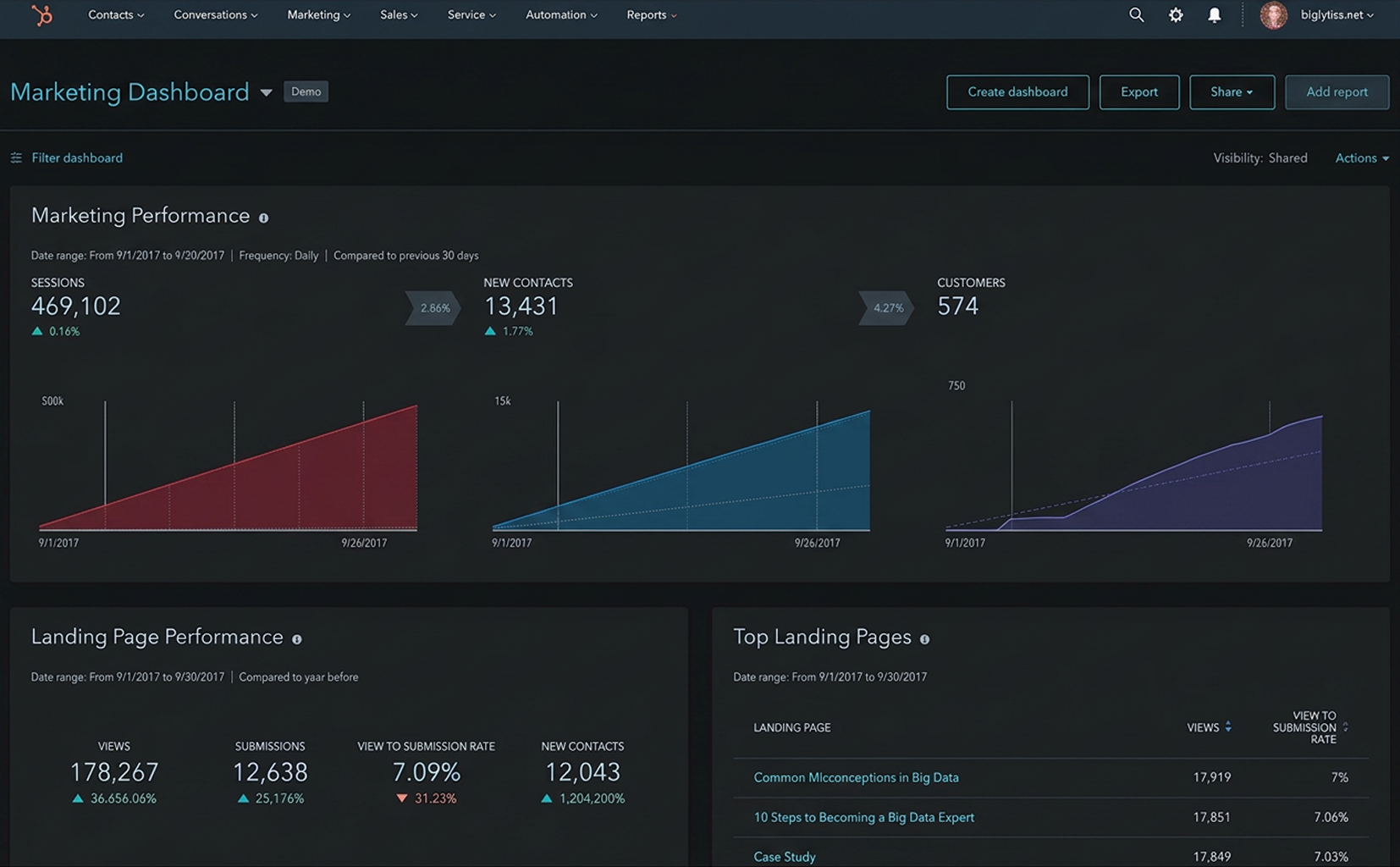 This is due to a variety of reasons:
Reduced Plugin Dependency
To make WordPress more SEO-friendly, analytical, formative, secure and effective for lead generation, you might need several plugins.
Many of these features are native to HubSpot, which decreases maintenance.
Better CRM Integration
HubSpot's CRM is an integral part of the platform, ensuring businesses can better monitor visitors, leads, and interactions with them.
Simplified Website Management
HubSpot automates the bulk of its updates, hosting, backup, and security management.
Improved Scalability
More and more, businesses are growing and website scalability becomes a crucial aspect. HubSpot offers infrastructure that facilitates growth without a lot of technical management.
Enhanced Security
HubSpot's managed environment and built-in security features are beneficial for organizations that prioritize security.
For many companies, HubSpot serves as a practical HubSpot alternative to WordPress, particularly when marketing efficiency and operational simplicity are priorities.
Furthermore, a certified HubSpot partner will be able to assist the migration process and ensure a successful implementation.
Conclusion
In the end, it's all about your business priorities that will determine your choice between HubSpot CMS vs WordPress.
If you're looking for flexibility, lots of customization, and reduced initial costs, that's the perfect option to go with WordPress. If you're planning a new website or migrating from WordPress, working with experienced HubSpot web developers can help you get the most out of the platform.
In comparing HubSpot vs WordPress, take into account your finances, technical abilities, expansion plans, and marketing goals. The right platform is the one that is capable of supporting your business, now and into the future.