

.svg)
.svg)






7 HubSpot Onboarding Mistakes That Waste Your CRM Budget (and How to Avoid Them)
There are many businesses that pay for HubSpot and implement a small component of it. Contacts reside in the CRM, with a few emails sent and a few real deals tracked in a different place. It's not usually the tool that's the issue. The setup is. That's where good HubSpot onboarding services come in handy, as they tailor the platform to the way you sell. Here are some of the most common errors and their solutions:
Why the first 30 days decide everything
Habits form fast. Your team will mimic your structure, whether it is good or bad, clean or dirty; whatever it is, the team will do the same for the following year. Poor data proliferates, unused features remain unused, and people lose faith in the CRM. It's much cheaper to get it right now than later. That's why many teams engage HubSpot implementation services for the first month, to ensure the foundations remain in place.
The 7 mistakes
1. Choosing a tier before mapping the sales process
What it looks like: Buying Enterprise for its features, or Starter for its price, and then writing down the steps a lead needs to take to become a customer.
Why it hurts: This makes you waste money on tools that you won't use, or you reach max size in month three and need to upgrade.
How to fix it: Map your process first: Handoffs, Approvals and Reporting needs. Next, match up those needs to a tier. If you already have a tier and aren't sure if it matches your needs, a HubSpot audit demonstrates what you're using and what you're not.
2. Importing messy data (duplicates, no property standards)
What it looks like: Copies of contacts, free text fields and USA and United States in the same column.
Why it hurts: It causes pain due to segments that break, reports that mislead and automation emails to the wrong people.
How to fix it: Clean before you import. Eliminate "double" entries, convert free-text entries to drop-down menus, and create a brief guide to the names of the properties. A structured HubSpot migration preserves your history if you're moving from another CRM.
3. Not defining lifecycle stages and lead status
What it looks like: All contacts are just ‘leads' and ‘lead status' has different meanings for each rep.
Why it hurts: Marketing does not know which leads are ready and no one can see where leads get stuck.
How to fix it: Clearly describe each lifecycle stage in simple terms and provide entry and exit criteria. Only use lead status for sales follow-up activities. Gather all the information onto one sheet and distribute it to the group.

4. Building workflows before the pipeline is settled
What it looks like: A dozen or more workflows are created in week one, some workflows change, and half of them stop working.
Why it hurts: When automations break, emails are sent to the wrong people, tasks are created that no one wants to do and the broken automation is awful to fix.
How to fix it: Set the pipeline lock up first. Try running it to see if it actually helps, then automate if it does, after 2-3 weeks. After customized objects and integrations are HubSpot development services.
5. No agreement between sales and marketing
What it looks like: Sales complains about poor leads, marketing touts the number of leads.
Why it hurts: Good leads are overlooked, bad leads fill up the lead pipeline and the two teams lose faith in the numbers given to them.
How to fix it: Be sure to have a short agreement in place that defines what constitutes a 'qualified' lead, how quickly sales responds and what occurs with rejected leads. Review it monthly. This workshop can be conducted by a HubSpot implementation partner and remain neutral.
6. Leaving reporting for later
What it looks like: Dashboards will be a feature after we’re set.
Why it hurts: You would not be able to know what is working and the properties you need for reports weren't captured.
How to fix it: Choose 5 to 8 metrics before starting for example pipeline by stage response time and conversion by source. Make sure the features are in place and build a dashboard within the 30 days of starting to use the system.
7. No training or adoption plan
What it looks like: One administrator knows the system well while other users work on their tasks casually and sometimes avoid the system altogether.
Why it hurts: Adoption slows down data becomes outdated. The CRM falls under the sole responsibility of one person. That is why training is always part of any quality HubSpot onboarding services.
How to fix it: Keep them short. Connect them to tasks that you do every day. Set up a check-in simple goals for the month and have someone in charge.
A simple 30-60-90 day onboarding plan
|
Days 1–30 |
Foundation |
Sales process mapped, tier confirmed, data cleaned and imported, lifecycle stages defined |
|
Days 31–60 |
Build |
Pipeline settled, core workflows live, sales-marketing agreement signed, first dashboard built |
|
Days 61–90 |
Adopt and refine |
Team trained, reports reviewed, workflows tuned, list of phase-two improvements agreed |
DIY or work with a certified HubSpot partner? What to expect
If you work alone, have a straightforward sales process and someone with the time to do the build, DIY can work. Don't be afraid of trial and error and a longer period of time.
A partner offering HubSpot implementation services brings tested setups and has seen these mistakes before. You'll get a discovery workshop, process mapping, data cleansing, configuration, training and a definite handover. Most HubSpot onboarding services are based on that, and the best ones get your HubSpot team to be self-sufficient. There are partner-led HubSpot onboarding services available that cost more initially, but typically less than it does to rebuild the broken system 6 months later.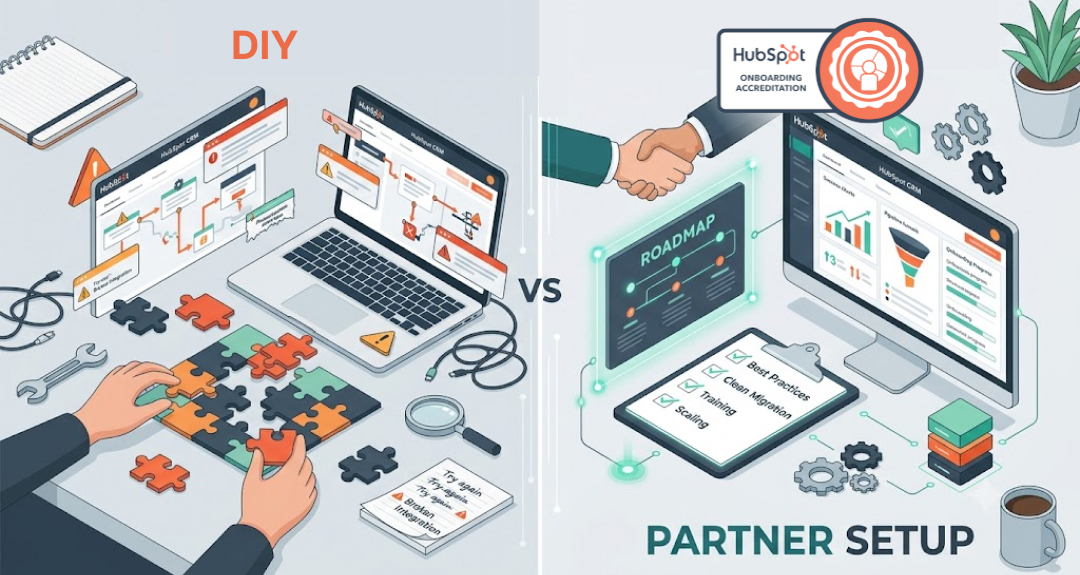
Conclusion
The vast majority of onboarding issues boil down to a single thing – tools were set up prior to decision-making. Once you know your process, clean your data, align your teams and train your people, HubSpot is the system your team will use. Need assistance to get there? Contact a certified HubSpot partner for help using these services to onboard HubSpot.
Book a HubSpot onboarding call.