


.svg)
.svg)





HubSpot Aspire Integration: Benefits, Process & Guide
Companies usually have several platforms for their sales, customer management, projects, and activities. Both systems have their value, but out-of-sync tools can lead to data duplication, delayed updates and manual effort. HubSpot Aspire integration enables the integration of these systems, allowing teams to handle information more effectively and keep a single view of customer activity.
From lead management and project handoffs to sales and service integration, HubSpot's integration with Aspire can help streamline daily tasks. The advantages, installation procedure and factors for a successful setup are described here.
What Is HubSpot Aspire Integration?
The HubSpot Aspire integration brings HubSpot's customer relationship management (CRM) functionality and features into Aspire's business management system. The connection can be used to sync up relevant customer, contact, project and operational information between various systems, depending on the needs of your business and the systems you are using.
HubSpot is typically used for marketing, sales and customer relationship management, while Aspire can be utilized for business operations and workflow management. These systems can be used to help teams save on reentering the same information multiple times.
For instance, if a new HubSpot customer is added, a workflow can be initiated and relevant data sent to Aspire. When the integration is setup to pass on that information, then the same can be passed on to HubSpot too.
Specific functionality will vary based on the available APIs, integration tools, and configuration. When creating a well-planned HubSpot Aspire integration, the emphasis is on the data and workflow that is most crucial to your business.
Key Benefits of HubSpot Aspire Integration
1. Centralized Customer Information
One of the biggest benefits of the HubSpot Aspire integration is that you can more easily access customer data. Teams can access relevant data through connected workflows, rather than switching between systems and having to keep separate records.
This can enable sales, customer service and operations staff to work with consistent information. It also helps to eliminate the possibility of having outdated contact information, duplicate records, and no updates.
2. Reduced Manual Data Entry
Manual data entry takes time and increases the possibility of errors. Businesses can use HubSpot Aspire integration services to set up automation that allows for the transfer of selected information between platforms.
For instance, when a defined trigger happens, a new contact, company record or update related to the project might be sent automatically. This will give staff more time to attend to their customers' needs and work on business tasks than copying information.
3. Better Workflow Automation
Systems that are connected can facilitate better work processes. An Aspire lead that is captured in HubSpot can be assigned, qualified, and/or put into an operational process.
With the right setup, Aspire HubSpot integration can help automate these handoffs. Triggers, actions and conditions can be defined in such a way that the following step takes place without needing unnecessary manual action.
4. Improved Team Collaboration
Properly sharing customer and operational information allows team collaboration to be more effective. Salespeople will be able to access project details and operations will have access to customer information for the project.
This can help to minimise communication barriers and enable employees to respond to customer requests sooner.
5. Better Reporting and Visibility
Data that is connected can enhance reporting by providing access to relevant data throughout the systems. Synced data can be utilized to comprehend customer activity, monitor the development of jobs, and recognize areas for improvement.
Quality of reporting is dependent on correct data mapping, management of records and the integration functionality provided.
Common Use Cases for Aspire CRM Integration
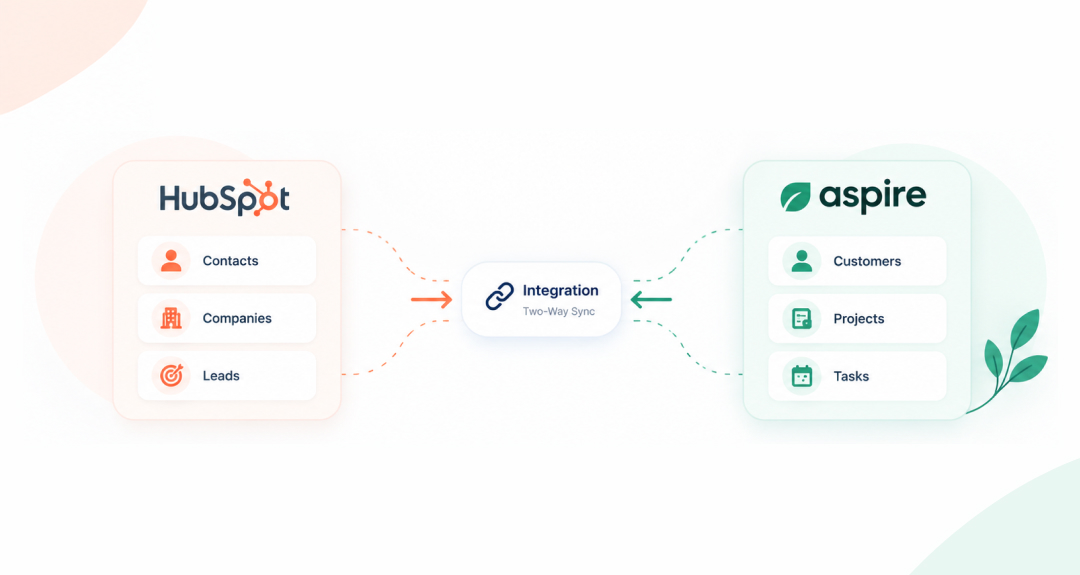
Aspire CRM integration can be used by businesses to link customer data, sales interactions, and business processes. Some of the typical applications are:
- Contact synchronization: Transfer selected contact details between HubSpot and Aspire.
- Company record management: Maintain consistency of relevant customer/company data across platforms.
- Lead handoffs: Send qualified leads from HubSpot into an operational workflow.
- Project-related updates: Provide project/service information to customer-facing teams.
- Task automation: Automate actions based on the record creation, modification and assignment.
- Customer communication: Connect data to enable better follow-up and customer service.
It will ultimately depend on how you currently store customer data and where you are seeing manual processes causing issues.
How Does HubSpot Integration with Aspire Work?
Typically, there are a number of stages. The steps for the integration will differ depending on the method used, but the following is a good starting point.
Step 1: Define Your Integration Goals
Determine what you want to accomplish before you link the systems together. Looking to sync contacts, automate lead handoffs or enhance project visibility?
Having clear goals will help to identify which data should flow across platforms and which workflows need to be automated.
Step 2: Review Available Integration Options
Next, it is necessary to compare the possible connections. This can range from native integration, third-party connectors or custom development based on your needs.
If your workflows need more flexibility than standard connectors, a custom Aspire API integration might be needed. All APIs, authentication options, and operations supported should be reviewed prior to development.
Step 3: Map Your Data
The data mapping process defines what information will be used to connect one platform to the other through the use of fields. A HubSpot contact name may need to correspond with an Aspire customer field, for instance.
At this point, teams should determine what is required, what is optional, what is unique, and any discrepancies in data formats. Correct mapping helps to avoid the loss of information and synchronization problems.
Step 4: Configure Workflows and Triggers
After the data model is identified, set up the data flows to move data between systems. This can be a reason like a new contact, a new stage of a deal, or a new project record.
For HubSpot integration with Aspire, it is important to define which system is responsible for each type of data. This avoids any conflicting updates and/or unnecessary synchronization loops.
Step 5: Test the Integration
Testing should be done prior to the integration being used in day-to-day operations. Teams should ensure that records are moved as desired, necessary fields are completed, and workflows work as expected.
Tests should also include error handling, handling of duplicate records and unexpected updates or missing information.
Step 6: Monitor and Maintain the Connection
Once launched, it is essential to keep a check on the integration on a regular basis. APIs, workflows, field structures or business processes can be changed, which can impact the communication between systems.
Regular maintenance helps maintain a reliable connection and is essential for meeting the business requirements.
Why Choose Professional Integration Services?
To set up an integration means more than just making two platforms "talk" to each other. Requires knowledge of business processes, data structures, security, and workflow automation.
To plan and execute an integration that suits the needs of their business, HubSpot Aspire integration services can help. The support can involve the integration strategy, data mapping, API configuration, development of workflows, testing, and maintenance.
A reliable integration partner should also be able to help you determine which processes are manual and which processes you should automate. That way, automation doesn't cause any undue complexity.
Important Considerations Before Implementation
Prior to getting started with HubSpot Aspire integration, businesses need to consider the following:
- Data accuracy: Cross-check and eliminate duplicate data.
- Security: Implement the correct security measures and user authentication.
- Data ownership: Determine the source of the data for each field.
- Scalability: Make sure the integration will accommodate future expansion of the business.
- Error handling: Prepare for problems with transferring and incomplete records.
- Maintenance: Ensure the connection is monitored and updated as necessary.
These factors make integration more reliable and minimize operational disruptions.
HubSpot CRM Integration and Aspire: What to Expect
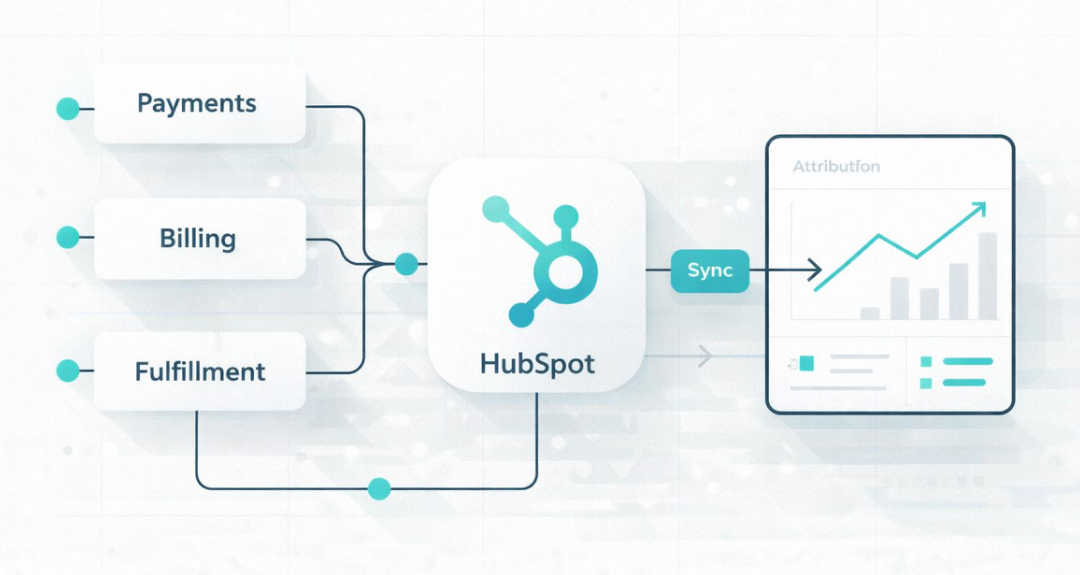
HubSpot CRM integration can help businesses connect customer-facing activities with operational processes. Together with Aspire, it will help achieve a more seamless information flow between teams.
For instance, customer relationships can be handled by the sales team in HubSpot and the operations team can use Aspire for business-related activities. A connected workflow can help ensure that important information is there when it is needed.
But that doesn't necessarily address all data and process problems. First, businesses need to determine their needs, and then determine which connection method is suitable.
Conclusion
One of the many ways HubSpot Aspire integration can benefit businesses is by linking customer data, automating tasks, and minimizing manual work. It helps to integrate key information, promoting collaboration and streamlining operations.
The first step to successful integration is to have clear objectives, to be sure the data has been mapped correctly, and to have a clear plan for how and when the integration will occur. The key is to develop stable workflows that help your company, regardless of whether it's a standard connector or an Aspire API integration.
When considering integration, expert advice can be used to assess options, implement the process and keep it working in the long-term. HubSpot Aspire integration can be a valuable asset to your business technology strategy if approached correctly.