


.svg)
.svg)





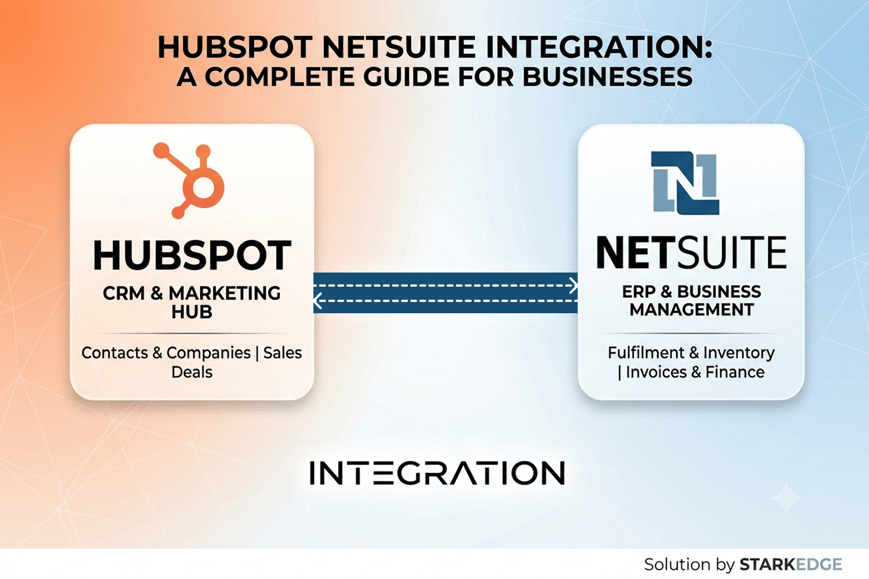
NetSuite Integration Services: A Complete Guide to HubSpot NetSuite Integration
A business might use a variety of different platforms for sales, customer relations, finances, orders and business operations. Each system may be able to fulfill its individual purpose well, but having information consistent across several platforms can be a challenge. For sales teams, they can use HubSpot for their processes, and finance and operations teams can leverage NetSuite for ERP processes.
NetSuite integration services come in handy with linking these systems, enabling the seamless movement of crucial data between them. With proper planning, integration can help teams have a better view of customers and transactions, eliminate repetitive tasks, and enhance data accuracy.
What Is HubSpot NetSuite Integration?
The HubSpot NetSuite integration is a grouping of the HubSpot CRM with the NetSuite ERP, enabling selected business information to be shared between these two platforms.
If there's no integration, employees may have to register customer information, deals, orders or invoice information in a number of systems. This means that extra work is involved in administration and can lead to duplicate or mismatched records.
A seamless integration enables companies to set up data automations between HubSpot and NetSuite. Organizations can set up one-way or two-way synchronization for individual records and fields, as needed.
The objective is not simply to transfer data. To develop integrated processes that enable sales, marketing, finance, customer service and operations to work with consistent information.
Brand-to-Brand Data Integration
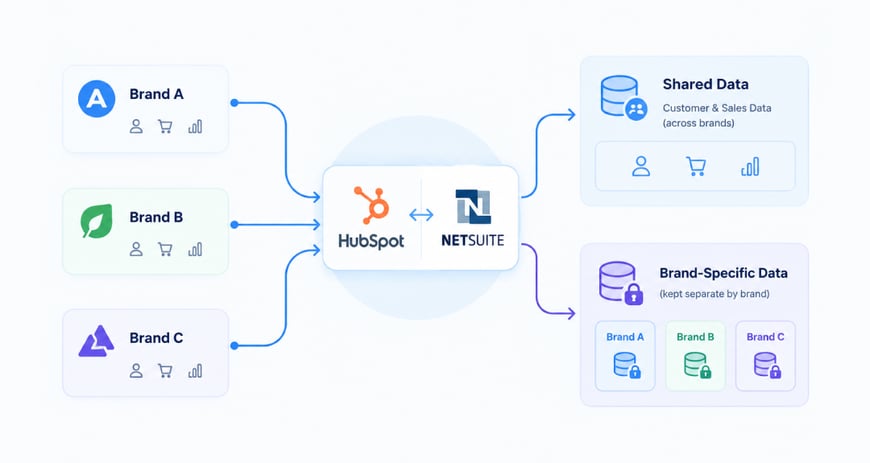
For enterprises with several brands or business units, there might be other integration needs. They may have to share certain customer and sales data and must maintain certain data segregated by brand.
A thoughtfully-designed HubSpot NetSuite integration can help these workflows by establishing what data should be shared and how it should be matched.
For instance, customer data can be synced to the right NetSuite records through pre-defined rules from various business units.
How Brand-to-Brand Integration Helps
- Keeps relevant customer information synchronized
- Reduces duplicate data entry
- Maintains brand-specific records
- Supports centralized reporting
- Improves visibility across business units
- Automates cross-brand processes
- Creates consistent data management rules
Businesses need to have clear policies or guidelines in place before implementing about who owns the data and who has access to it. Not all of the records have to be shared between all of the brands, so the integration should be designed according to the organization's structure.
Sales Record Integration
HubSpot will be used by a sales team to handle leads and deals, while order processing and financial activities will be done in NetSuite. Linking these processes can help the process from a closed deal to an order be much smoother.
Using NetSuite integration services, companies can link HubSpot deals with applicable NetSuite records. For instance, if a workflow is set up to create or update a sales order, then it will be done when the transaction is considered a qualified or closed deal.
The information that can be synchronized may be:
- Deal and opportunity details
- Customer and company information
- Products and services
- Quantities and pricing
- Sales value
- Order information
- Billing details
- Transaction dates and statuses
Benefits of Sales Record Integration
Sales records are linked together, lessening the amount of manual data entry needed. It can also provide earmarks and help finance and operations teams to get the sales data earlier and reduce human errors when replicating the data.
When a business deals with a large number of transactions, the automated synchronization process can help make the process of moving from opportunity to order and fulfillment easier.
Key Data Fields for HubSpot and NetSuite Synchronization
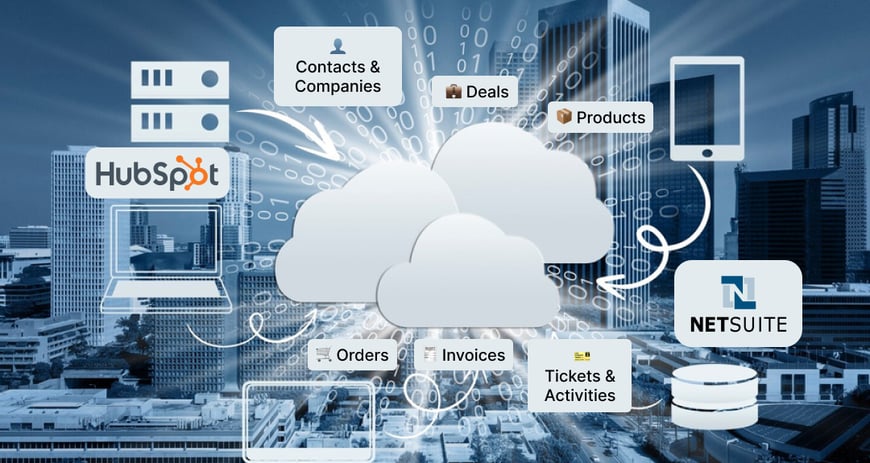
The data shared by a NetSuite HubSpot integration is dependent on the processes and technical setup of the organization. The following is a list of common data types.
Contacts and Companies
Data for customers and companies can be synced across the platforms, assisting teams in keeping consistent data in the CRM and ERP.
Deals
HubSpot deals can be linked to relevant NetSuite information to facilitate downstream processes like order generation and financial processes.
Products
Product info can be synced via product names, product descriptions, product prices and SKUs. This enables the sales team to have information about the products that they are selling.
Orders
Closed deals can be synced to NetSuite sales orders for a seamless transition from sales to order management.
Invoices
Customer-facing teams can be provided with invoice data to provide them with additional insight into billing activity.
Tickets and Activities
Selected tickets and customer activities can also be synced, depending on the configuration, to give more context.
Benefits of HubSpot NetSuite Integration
Reduce Manual Data Entry
A key benefit of HubSpot integration with NetSuite is the ability to streamline repetitive administrative tasks. Customer, deal or order data is not duplicated from one system to another by employees.
Improve Data Accuracy
When data is entered manually, it can lead to errors such as spelling, incorrect values, duplication or out-of-date data. Automated synchronization can help minimize these issues.
Connect Sales and Finance
When you connect your customer facing and financial processes with a HubSpot ERP integration, you're making things more powerful. Sales can still work in HubSpot; finance can still work in NetSuite!
Automate Business Workflows
Integration can cause actions to be triggered by changes to records. For instance, a certain deal stage may trigger an order-related workflow, or an update to the customer may sync with the respective ERP record.
Improve Customer Experience
If the information required from different departments is available, staff are better able to answer customer enquiries more effectively. Enhanced order/billing details can streamline support interactions.
Strengthen Business Reporting
Linking CRM and ERP data can offer a bigger picture view of sales, customers, orders and financial activity. This can aid in providing consistency to business data for making decisions.
Common Integration Use Cases
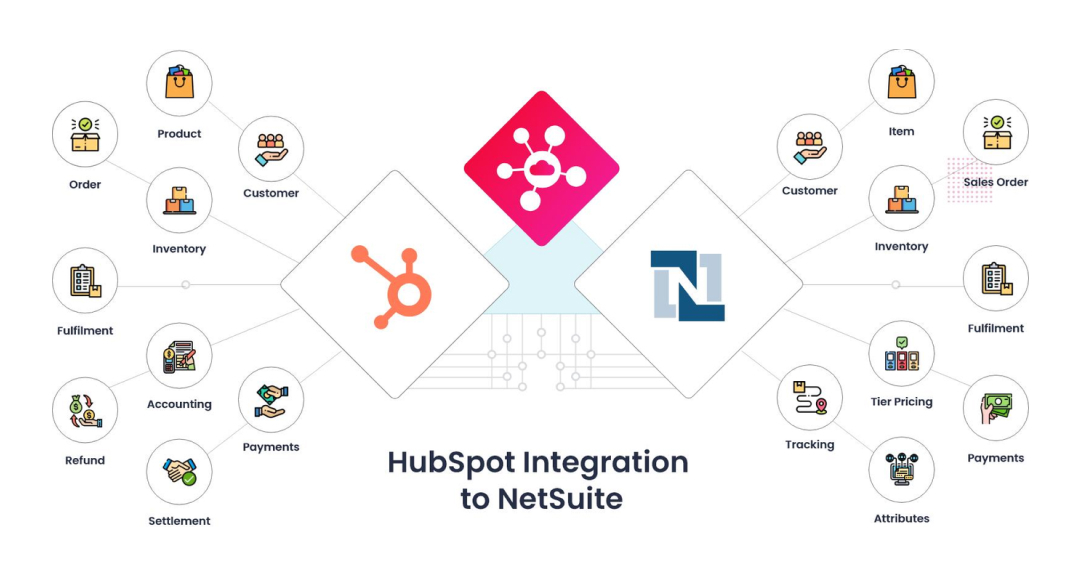
A NetSuite CRM integration can provide assistance to a number of business processes.
Lead-to-Customer Automation
Selected information can be transferred from the lead to NetSuite when it becomes a qualified customer. This can save time in the onboarding of customers.
Deal-to-Order Automation
When a HubSpot closed deal is created, it can also generate a NetSuite sales order, thus enabling the sales to order process.
Customer Data Synchronization
Contact and company data can be synced, enabling sales, customer service, and operations teams to access uniform customer data.
Product Synchronization
Product data can flow between platforms and assist the sales team in using existing product data, pricing, and SKU information.
Invoice Visibility
Information on the relevant invoice is accessible to the employees who interact with the customer, thereby assisting them in answering queries related to the invoice.
HubSpot CRM Integration and ERP Connectivity
The key to a successful HubSpot CRM integration is to connect the business processes, not every field there is.
For instance, HubSpot could be the main system for sales activity and customer interactions, while NetSuite maintains the source of truth for financial transactions and order history.
When planning NetSuite integration services, it is crucial to distinguish this. Clarifying ownership of each category of information can aid in preventing conflicting updates and in ensuring that it is easier to manage integration.
Challenges to Consider
Though integration provides many benefits, there are a number of considerations to make before implementing integration.
Data Mapping
Different field structures and naming conventions can be used between HubSpot and NetSuite. Correct mapping is needed to make sure that the information gets to the right place.
Duplicate Records
If the matching rule is set incorrectly, you can end up with duplicate customers, contacts or companies. Deduplicate logic should be defined prior to the integration being activated.
Data Ownership
There are various types of information and it's up to businesses to determine which one is under which control. When records are changed, they won't cause conflicts if they are clear.
Custom Fields and Workflows
Other organizations use their own processes that cannot be synchronized with a standard process. You might need custom fields, APIs, workflows and transformation rules.
How Does the Integration Process Work?
The implementation of NetSuite integration services typically involves a series of steps.
1. Discovery: Analyze current CRM, ERP, sales, finance and business processes.
2. Data Mapping: Determine which data and data elements should be transferred from one system to another.
3. Configuration and Development: Set up available integrations and develop custom functionality as needed.
4. Testing: Test synchronization, workflows, record matching, permissions and error handling.
5. Deployment: Deploy the integration if it's been successfully tested and validated.
6. Monitoring: Keep track of the synchronisation and resolve the problems as the business processes change.
The simple requirements can be satisfied by the available integration options; the complex workflows may require the API to be developed and an extra integration logic to be added.
Is HubSpot NetSuite Integration Worth It?
For businesses that have HubSpot CRM and NetSuite ERP, integration can eliminate many of the disjointed processes.
It's more than just passing information. When executed correctly, a NetSuite HubSpot integration can provide a seamless process where sales, finance, customer service and operations teams have access to the information they need.
The best solution will vary, depending on the data structure, the number of transactions, workflows, customization needs, and future growth plans of the organization.
Why Choose StarkEdge for NetSuite Integration Services?
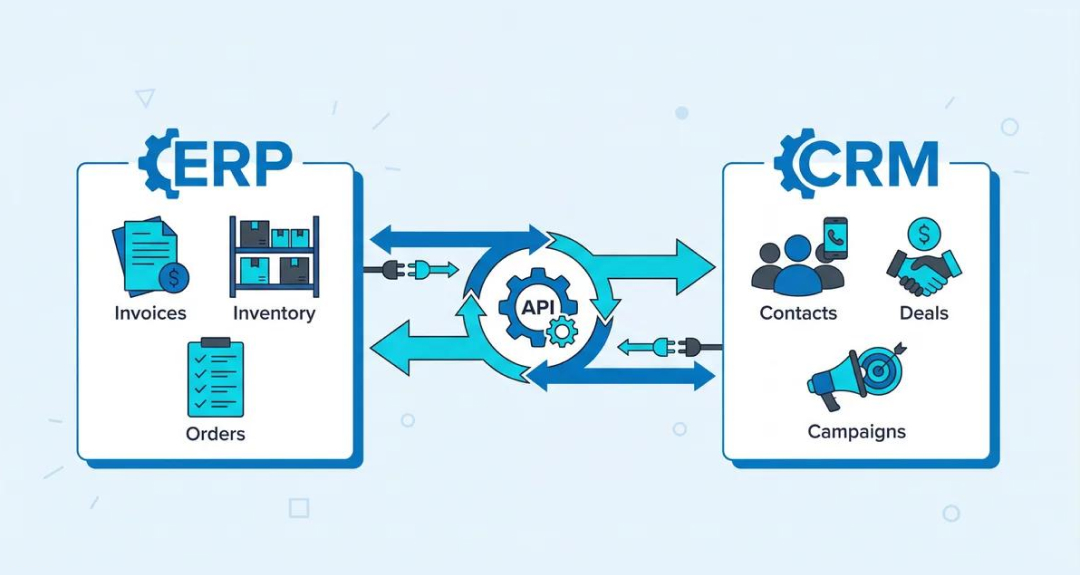
StarkEdge facilitates businesses to seamlessly tie CRM and ERP systems with structured integration planning, development, testing and support.
We are able to help you with:
- HubSpot and NetSuite integration planning
- CRM and ERP data synchronization
- Custom API development
- Data mapping and field configuration
- Workflow automation
- Custom integration development
- Testing and troubleshooting
- Integration support and maintenance
For businesses seeking dependable NetSuite integration services, a solution that takes both technical needs and day-to-day business processes into account can prove to be advantageous.
Final Thoughts
Integrating HubSpot to NetSuite makes it possible for businesses to cut down on manual work and expand visibility throughout their sales, customer management, orders, and monetary operations.
The key to a successful HubSpot integration with NetSuite is to do it based on how your staff works. Leveraging data mapping, ownership, and the right amount of automation, comprehensive testing and monitoring all help ensure a more reliable integration.
From basic syncing to a tailored solution, careful planning can help set the stage for a synced world that optimises operations and fosters sustained development.