






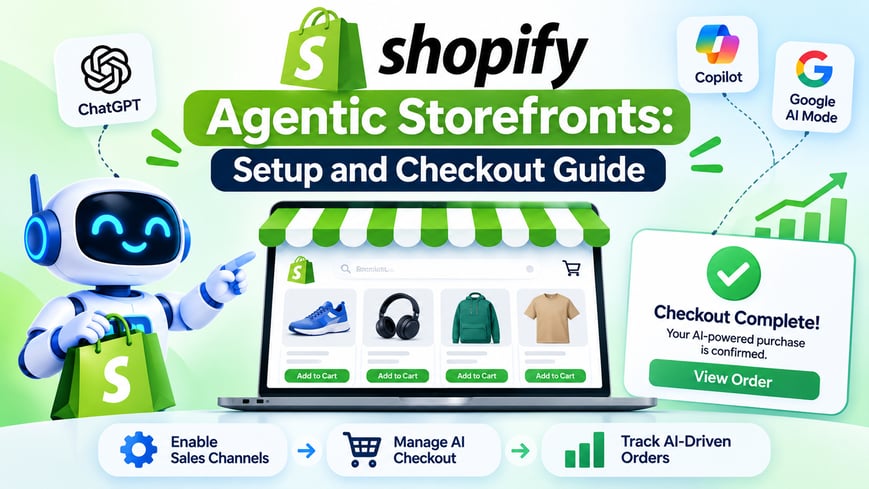
The new shoppers want AI to make suggestions for products, just as they used to type into a search bar. Shopify Agentic Storefronts placed your catalog within the conversations, and a customer can proceed from a question to a paid order without ever leaving the chat. This article will discuss the function of the feature, exactly where the controls are located and when it's sensible for your shop to turn on in-chat checkout.
What the Feature Does
Shopify Agentic Storefronts are the link between your product and AI like ChatGPT, Microsoft Copilot and Google's AI experiences. Shopify Catalog is the flow of product data, also known as the Global Catalog. It organizes prices, availability and policies in a way that the AI shopping agent can easily read them all. But, this is agentic commerce for Shopify merchants in practice: software agents find, compare and purchase on your behalf without having access to your data.
This is because you're running everything as a channel off your online store, rather than a separate app. Orders are received in your admin with a line of attribution that details the channel that resulted in the sale being made, such as AI or other channels. You remain the merchant of record, so fulfillment, returns and customer service stay with you. A proper Shopify store setup also helps merchants organize product data, policies and sales channels before enabling agentic commerce.
How Each AI Channel Handles Checkout
Channels do not behave identically. There are some key differences, as illustrated in this table.
|
ChatGPT |
Your own online store, opened in an in-app browser |
No |
|
Microsoft Copilot |
Inside Copilot, or on your store |
Yes |
|
Google AI Mode and Gemini |
Inside Google's AI experience, or on your store |
Yes |
Shopify ChatGPT checkout sends customers to your store, where you can follow your checkout processes as normal, without any additional switch. Shopify Copilot checkout vs Shopify Google AI Mode. The purchase can be completed within the AI interface, and you determine if it's OK to go ahead.
Where to Enable In-Chat Checkout
Usually, stores that are eligible will be added automatically – just see what is currently live. Visit your Shopify admin settings, and select Sales channels and choose Agentic. The top option is the "Allow Shopify to manage for me.The first option is Allow Shopify to manage for me. It shares the same catalog as you and auto-enrolls you into new channels, if you don't turn it off. Below, you can independently turn on and off direct checkout for Copilot, Google AI Mode and Gemini. Alternatively, you can go there directly at admin.shopify.com/agentic.
Should You Turn It On?
Shopify Agentic Storefronts are ideal for products that can be easily purchased with a single click. Please check this list before turning on in-chat checkout:
- Product types: subscriptions, bundles, digital items and customizable products have reportedly not been supported in-chat, so keep those routed to your store. A Shopify Plus agency can help larger businesses manage complex store requirements and prepare for new AI shopping channels
- Store policies: your terms, privacy and returns pages must be complete and visible.
- Order fields: if you need a delivery date or custom field the AI channel cannot collect, send buyers to your own checkout.
- Support: refunds and customer questions remain yours, so brief your team to watch for these orders.
- Economics: compare margin, refund rate and support load against orders from your own site.
A good idea is to leave in-chat checkout as a test for a few weeks, after which you can compare the results. Turn off the less successful channel if it doesn't work as well. Per-channel control allows you to pivot without rebuilding in Shopify Agentic Storefronts as agentic commerce for Shopify merchants evolves.
How to Track AI Orders
Visit the Shopify Agentic Storefronts management page to view AI channel sales, sessions, orders and conversions. To see the details at the order level, apply channel filters to your list of orders. Keep in mind that in-chat purchases do not happen on your website and therefore, analytics tools that depend on site visits do not record these purchases.

Conclusion
AI chat is becoming a genuine storefront, and the stores that prepare early will capture that demand first. Shopify Agentic Storefronts give you a single place to share your catalog, control where shoppers pay, and see which AI channel drove each sale. Start by reviewing your product data and store policies. Then test in-chat checkout on one channel, and compare the results against your own site before expanding. Because every channel has its own switch, you can scale up or pull back at any time.